

Estimated Reading Time: 7 minutes
In 2025, artificial intelligence isn’t just a buzzword—it’s a powerful workhorse that’s quietly reshaping how we live and work. Whether you’re a student, a content creator, a manager, or just trying to get through a mountain of emails, AI can do the heavy lifting for you. Here’s a breakdown of five AI tools that can automate, accelerate, or completely eliminate your most repetitive daily tasks. These tools aren’t just convenient—they are revolutionizing the way individuals and businesses operate.
1. ChatGPT — Your Personal Writing Assistant, Brainstorm Partner, and Email Drafter
ChatGPT by OpenAI is one of the most versatile and widely used AI tools globally. Built on powerful language models (GPT-3.5 for free users and GPT-4o for paid users), ChatGPT can do much more than just chat.
Key Use Cases:
- Drafting professional emails and newsletters
- Writing blog posts, articles, and scripts
- Outlining project proposals or business plans
- Generating marketing slogans, product names, or taglines
- Translating content to multiple languages
- Converting bullet points into polished paragraphs
Real-World Scenarios:
- Freelancers use ChatGPT to meet tight writing deadlines.
- Product managers use it to summarize user feedback and write feature specifications.
- Students use it for creating summaries, outlines, and sample answers.
Advanced Features (Pro Version):

- Visual input support (analyze charts, screenshots, or UI designs)
- Higher accuracy in long conversations
- Access to tools like DALL·E and browsing (great for dynamic data)
Pro Tips:
- Always edit and personalize ChatGPT content before publishing.
- Feed it structured input (e.g., numbered lists, job titles) for best results.
Link: ChatGPT
2. Perplexity AI — Instant Research Without the Fluff

Perplexity AI is a next-gen search engine powered by AI. Unlike traditional search engines, Perplexity delivers answers directly—complete with citations—saving users time and reducing information overload.
What Makes It Special:
- Sources every answer with hyperlinks
- Factual, concise, and ad-free interface
- Supports follow-up questions and multi-turn queries
Use Cases:
- Writers & researchers use it to verify facts and gather quick insights.
- Professionals use it to get summaries of industry trends or legislation.
- Students use it as an alternative to Google for academic help.
Unique Features:

- “Copilot” mode lets you refine or explore answers deeper
- Better handling of recent news or trending queries compared to static AI models
Example Prompt: “What are the economic implications of the EU AI Act in 2025?”
Pro Tip: Great for competitive research and SEO keyword idea generation too.
Link: Perplexity
3. ElevenLabs — Realistic AI Voiceovers for Videos and Podcasts
Voice content is booming. ElevenLabs offers the most natural AI-generated voiceovers, and it’s trusted by content creators, marketers, and educators alike.
Features That Stand Out:
- Voice cloning (you can train it on your own voice)
- Emotion control (angry, cheerful, sad, etc.)
- Multi-language support with localization
Use Cases:
- YouTubers voice their entire scripts using a chosen AI voice.
- E-learning platforms convert lessons into natural voice audio.
- Podcasters quickly generate narrated episodes or audio teasers.
Other Use Ideas:
- Create accessibility audio for blog posts
- Build voice alerts or smart assistant responses
Pricing: Offers free demo time + paid tiers depending on voice quality and usage.
Link: Eleven Labs
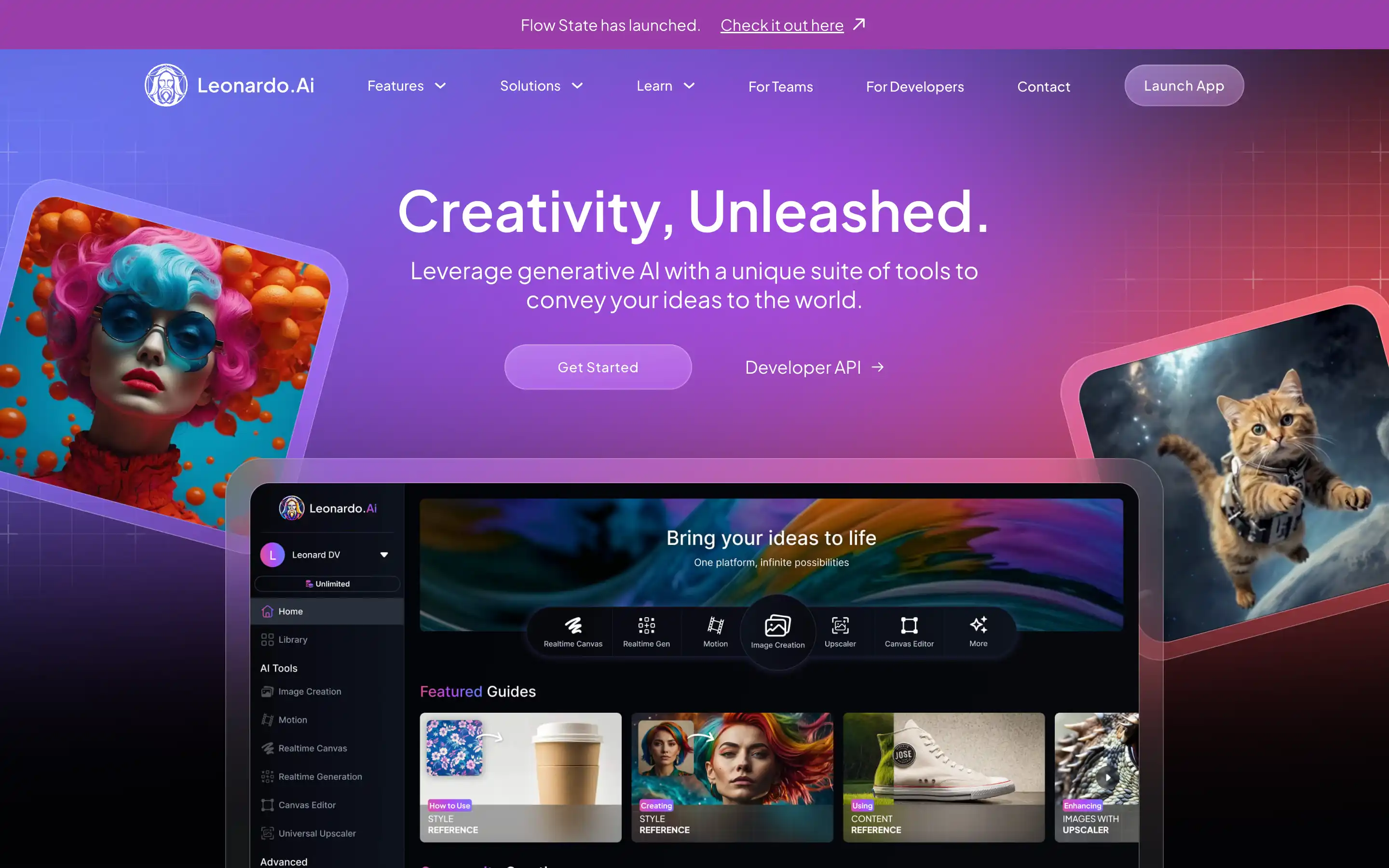
4. Leonardo AI — Stunning Images with a Prompt
Leonardo AI is one of the most user-friendly and advanced image-generation platforms available. Whether you want hyperrealistic photos or dreamy fantasy illustrations, it delivers.
Key Benefits:
- Easier to use than Midjourney (works via browser, not Discord)
- Fast render times
- Multiple style templates: photorealistic, anime, concept art, etc.
Creative Use Cases:
- Content creators generate unique blog or thumbnail images.
- Brand designers mock up campaign visuals before photoshoots.
- Social media teams batch-create visuals in minutes.
Sample Prompts:
- “A futuristic workspace with ambient lighting and digital screens”
- “A child looking at Earth from the moon in a Pixar-style cartoon”
Tip: Pair Leonardo with ChatGPT to auto-generate prompts for specific moods or styles.
Link: Leonardo
5. Notion AI — Turn Notes Into Knowledge
Notion AI turns your digital workspace into a productivity engine. Built right into Notion’s workspace interface, it can supercharge how you manage tasks, write documents, and brainstorm ideas.
What It Can Do:
- Summarize full-length notes or meeting transcripts
- Rewrite or simplify text
- Generate actionable task lists from bullet points
- Translate and reformat content instantly
- Auto-fill blank sections in templates
Ideal For:

- Remote teams collaborating on shared documents
- Bloggers managing content calendars and outlines
- Startups planning roadmaps or investor updates
Best Practices:
- Use AI alongside Notion templates to build dynamic workflows
- Combine with databases to automate content generation and tagging
Link: Notion AI
🧠 Expert Workflow: Combine All 5 Tools Like a Pro
Let’s say you’re launching a blog post and YouTube video on “AI for Small Businesses.” Here’s how to streamline the entire process:
- Research topic trends and market stats with Perplexity AI
- Outline & plan your blog using Notion AI
- Write the post with ChatGPT, using the outline as a guide
- Create a thumbnail using Leonardo AI (e.g., “a smiling entrepreneur with a robotic assistant”)
- Add voice narration using ElevenLabs for repurposing into a podcast
Within 2 hours, you’ll have a complete multi-format content piece ready for publishing.
Quick Comparison Table
| Tool | Best For | Standout Feature | Free Plan? |
|---|---|---|---|
| ChatGPT | Writing, communication | Versatile multi-use language model | Yes |
| Perplexity AI | Research, fact-checking | Cited sources & real-time answers | Yes |
| ElevenLabs | Audio narration | Realistic, emotion-rich AI voices | Limited |
| Leonardo AI | Visual content creation | High-quality, fast-rendered custom images | Yes |
| Notion AI | Productivity & planning | Smart summarization + note-to-task wizard | Limited |
Final Thoughts: AI Isn’t the Future — It’s Your Advantage Right Now
AI is not a sci-fi concept anymore – it’s a toolset at your fingertips. These five tools give you the power to replace hours of tedious work with a few smart clicks. Whether you’re a student, a side hustler, a small business owner, or a full-time creator, AI can help you move faster, create smarter, and reduce burnout.
Use these tools not to cut corners but to amplify your creativity and productivity. Let AI do the repetitive stuff, while you focus on strategy, storytelling, and value.
FAQs
What are the best free AI tools for productivity?
Some of the best free AI tools include ChatGPT (Free – GPT 3.5) for writing and planning, Perplexity AI for quick research, and Leonardo AI for generating images. Each offers powerful features at no cost to get started.
Are these AI tools safe to use for work or school?
Yes, these tools are generally safe, but it’s important to review and verify the content before using it professionally. For academic or client-facing work, always add a personal touch and check for factual accuracy.
Can AI really replace human work?
AI can replace repetitive, time-consuming tasks, but it’s not a replacement for human creativity, judgment, or emotional intelligence. The goal is to assist, not replace.
Do I need technical skills to use these AI tools?
No — most of the tools featured (like ChatGPT, Perplexity, and Notion AI) are beginner-friendly. They are designed with user-friendly interfaces, making them accessible even if you’re not tech-savvy.
Which AI tool is best for creating content fast?
ChatGPT is ideal for generating written content quickly, while Leonardo AI helps with visuals and ElevenLabs is perfect for turning that content into voiceover or narration.
Are these tools mobile-friendly?
Yes, most tools (ChatGPT, Notion AI, Perplexity) have mobile apps or responsive websites that work well on phones and tablets. You can stay productive on the go.
Can I combine these AI tools in a workflow?
Absolutely! For example, you can research with Perplexity, write with ChatGPT, design visuals with Leonardo, and narrate with ElevenLabs — all in one streamlined content creation workflow.


